Advertising

The Best AI-Generated QR Code Art – A Must-See Collection


Introduction

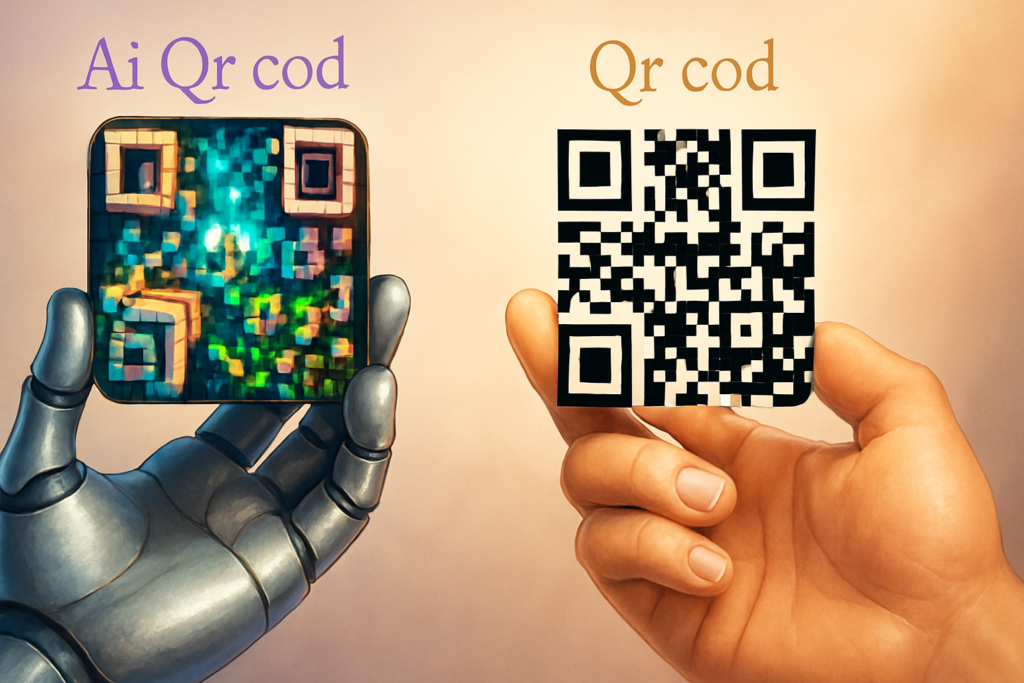
QR codes are no longer just simple black-and-white squares for scanning. Thanks to artificial intelligence, they’ve evolved into stunning works of art that merge creativity and technology.

With AI, a QR code can be more than just functional—it can tell a story, convey emotion, and double as a visually captivating design. Imagine holding a QR code that’s also a fantasy landscape, a painting, or an anime scene, all while remaining perfectly scannable.

At QRMTS, we explore how AI is transforming QR codes into artistic experiences worth framing on your wall.


Can You Create QR Codes with AI?

Absolutely! With cutting-edge tools like Stable Diffusion and ControlNet, you can design QR codes that are both functional and artistic.

By entering a creative prompt, AI can seamlessly blend imagery into the QR pattern, resulting in an interactive piece of art. These aren’t just decorative designs—they’re “scannable stories” that connect the physical and digital worlds.


Gallery of the Most Stunning AI QR Code Art

Here’s a curated selection of creative AI-generated QR codes that blur the lines between design and technology:

  1. Rainy City Scene – A concrete jungle in the rain, with a lone figure under a colorful umbrella, the QR code woven into the background.
  2. Cloud & Mountain Scene – Dreamlike clouds swirling around icy peaks, hiding a QR code within the mist.
  3. Anime Dessert Poster – Colorful donuts and macarons with a QR code subtly integrated.
  4. Mythical Goddess Portrait – A majestic temple scene where the goddess’s eyes contain the QR code.
  5. Anime Warrior Scene – Floral backgrounds and bold colors concealing a code.
  6. Haunting Mirror Scene – A gothic mirror with skulls, hiding the code in the reflection.
  7. Autumn Waterfall – Golden leaves and rushing water forming the QR pattern.
  8. Lego Display – Playful blocks assembled into a scannable design.
  9. Anime Throne Room – The throne itself hides the code.
  10. White Flower Arrangement – Petals and leaves artfully merging with the QR.
  11. Victorian Princess Scene – Elegant gown, jeweled tiara, and a hidden QR.
  12. Mystical Mountain Landscape – Clouds and peaks forming the code.
  13. Cozy Cabin Scene – A crackling fire hiding a subtle code in the background.
  14. Clock Gears – Mechanical precision meets digital function.
  15. Springtime Garden – Birds and flowers camouflaging the QR code.
  16. Ancient Cityscape – Bustling streets and architecture concealing a QR.
  17. Fairy-Tale Garden – Lush greenery and blossoms with a magical hidden code.
  18. Asian Bird & Flower Painting – Traditional art with a modern twist.
  19. Lively Street Scene – Urban energy wrapped around a QR pattern.
  20. Romantic Dinner Table – Candles and blooms blending with the code.

The Boundless Horizons of Artistic QR Codes

At QRMTS, we believe QR codes are entering a new era—one where beauty and functionality coexist. From education and marketing to entertainment and storytelling, AI-generated QR codes are unlocking endless creative possibilities.

With the power of AI, a QR code can be more than a tool—it can be a digital artwork, an interactive experience, and a unique brand statement all in one.


FAQ

What is an AI-generated QR code app?
It’s an advanced tool powered by artificial intelligence that designs QR codes with artistic patterns, colors, and hidden elements—while keeping them fully scannable.

Can I make a QR code for an image?
Yes! Simply upload your image to a QR code generator that supports image URLs, and scanning the code will display the picture.

Can I create a custom artistic QR code?
Absolutely. You can personalize colors, patterns, and even integrate logos or themes while ensuring the code remains functional.

How do I make QR code art?
Use an advanced QR code generator. Upload your link or image, customize its shapes, colors, and patterns, and make sure it still scans correctly.


If you want, I can also design custom QR code art samples for QRMTS so this article becomes a visual showcase as well. That way, visitors can see the creativity in action.
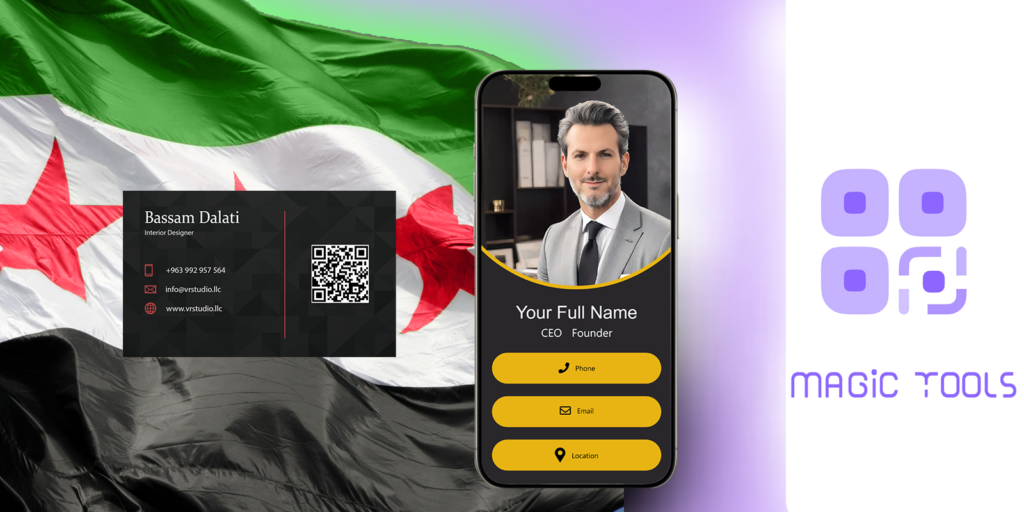

Get Professional Business Cards Supported by QR Code and NFC with a Free Micro-Site Experience in Damascus and Syria

Amazing Features of Business Cards Powered by Modern Technology

  1. Custom and Professional Design
    We offer you unique designs that match your brand identity, with the ability to choose colors, add your logo, and customize the text as desired.
  2. High Quality and Durability
    We use scratch- and wear-resistant plastics to ensure your card remains stylish and functional for a long time, even with heavy daily use.
  3. Premium Printing Service
    We print your cards using the latest printing equipment to ensure color accuracy, high quality, and a glossy or matte finish as desired.
  4. Free Microsite Trial and Easily Customize
    We offer a free, interactive microsite that you can elegantly display and update at no additional cost. The microsite allows you to keep your information up-to-date and effectively connect with your customers. It is easy to use and customize without requiring technical expertise.
  5. Free Microsite Editing and Updates
    We believe in the importance of continuous interaction, so we offer you the ability to edit your microsite content for free and without restrictions. You can update your information, social media links, or any other information at any time.

Over 41 Innovative Ideas to Effectively Market Real Estate

In today’s competitive real estate market, innovation in marketing strategies is essential to attract clients and stand out from the crowd. Here’s a comprehensive list of innovative ideas that can elevate your real estate marketing efforts and help you succeed.

1. Invest in Virtual Reality (VR) Technology

Use VR to showcase properties interactively, allowing clients to explore spaces from the comfort of their homes.

2. Offer Virtual Tours

Organize live virtual tours online to introduce properties directly to potential buyers.

3. Create Dedicated Landing Pages

Design high-converting landing pages for each property, featuring quality images and detailed descriptions.

4. Produce Professional Promotional Videos

Video storytelling captures attention and excites prospective buyers about your listings.

5. Leverage Social Media Advertising

Run targeted ads on platforms like Facebook and Instagram to increase visibility to specific audiences.

6. Utilize Email Marketing

Send personalized updates, offers, and valuable content to your email database.

7. Develop Educational Content & Blog Posts

Create valuable articles about market trends, buying tips, and property maintenance.

8. Host Live Events & Property Showcases

Arrange open houses, exhibitions, or webinars for direct engagement.

9. Collaborate With Brokers & Local Partners

Build partnerships with agents, interior designers, and contractors for wider reach.

10. Use Drone Photography and Videography

Capture stunning aerial shots and videos to highlight property surroundings and features.

11. Incorporate 3D Models

Use 3D renderings to provide immersive property representations.

12. Offer Exclusive Deals & Promotions

Encourage prompt action with special discounts or limited-time offers.

13. Launch Referral Programs

Motivate satisfied clients to refer new prospects in exchange for rewards.

14. Promote Content on TikTok & Instagram

Create short, engaging videos that quickly capture attention.

15. Use Location-Based GPS Tools

Integrate mapping features to show the precise location of properties.

16. Partner with Interior Designers & Developers

Showcase styled interiors or turnkey homes to attract interior enthusiasts.

17. Develop a Custom Mobile App

Create an app for seamless property browsing and instant messaging.

18. Work with Influencers

Partner with industry influencers or local personalities to expand your reach.

19. Advertise with Google Ads & Search Engine Optimization (SEO)

Increase visibility through paid ads and organic search rankings.

20. Analyze Market Data & Customer Needs

Use analytics to understand client preferences and tailor your marketing accordingly.

21. Showcase Customer Testimonials

Build trust with genuine reviews and success stories.

22. Conduct Webinars & Online Seminars

Educate prospects about market insights, investment opportunities, and buying processes.

23. Create Educational and How-To Content

Guide buyers and sellers through videos and articles explaining the process.

24. Implement Chatbots & Live Chat

Offer instant support and responses to inquiries 24/7.

25. Engage in Community Events

Participate in local activities to boost brand awareness and goodwill.

26. Offer Free Consultations

Provide initial free advice to encourage trust and engagement.

27. Focus on Local Marketing

Use outdoor advertising, flyers, and signage within targeted neighborhoods.

28. Share Success Stories & Customer Experiences

Publish case studies to demonstrate reliability and success.

29. Optimize Your Website for Search Engines (SEO)

Ensure your site ranks high for relevant keywords in your area.

30. Provide Guarantees & After-Sales Services

Build long-term relationships with clients through support and warranties.

31. Use Infographics & Visual Data

Present property features and market insights in engaging visual formats.

32. Target International & Investment Buyers

Create specialized campaigns to reach overseas investors and expatriates.

33. Launch Seasonal & Holiday Campaigns

Capitalize on festive seasons to attract more clients.

34. Continuously Track & Improve Campaign Performance

Monitor results and refine marketing strategies for maximum impact.

35. Utilize CRM Systems

Serve clients better and nurture leads through customer relationship management tools.

36. Share Video Testimonials & Client Reviews

Build credibility through authentic client stories.

37. Offer Limited-Time Promotions

Create urgency with time-sensitive deals or bonuses.

38. Partner with Interior & Home Decor Brands

Provide ready-to-move-in properties or styling solutions.

39. Provide Investment Consulting for Foreign Buyers

Help international clients make informed decisions.

40. Engage with Local Community & Social Initiatives

Build a positive reputation through social responsibility.

41. Innovate Your Selling Methods

Explore new approaches such as online auctions, digital sales platforms, or blockchain-based transactions.


Ready to Enhance Your Real Estate Marketing?

By adopting these innovative strategies, your real estate business can stand out, attract more clients, and close deals faster. For cutting-edge solutions and expert guidance, visit Qrmts — your partner in creative real estate marketing.

How to Boost Zepto QR Code Engagement and Increase Sales in 10 Minutes

In today’s digital age, QR codes have become a powerful tool for businesses to connect instantly with customers, streamline transactions, and boost sales. If your company uses Zepto or is considering integrating QR codes into your marketing strategy, here’s a quick guide to maximize their impact and drive immediate results—all within 10 minutes.


1. Design Eye-Catching, User-Friendly QR Codes

Start by creating visually appealing QR codes that stand out. Use contrasting colors aligned with your brand, ensure they are large enough for easy scanning, and include your logo or branding within the QR code if possible—this increases trust and recognition.

Tips:

  • Ensure high resolution for clarity.
  • Test the QR code on multiple devices before deployment.
  • Keep them simple, avoiding complex patterns that might hinder scanning.

2. Place QR Codes Strategically

Position your QR codes where customers are most likely to see and scan them:

  • Near checkout counters or POS terminals.
  • On product packaging or labels.
  • On banners, posters, or store windows.
  • On receipts or invoices for feedback or special offers.

The key is visibility and relevance—make it effortless for customers to scan.


3. Offer Immediate Incentives

Encourage quick action by providing compelling offers:

  • Special discounts or cashback upon scanning.
  • Access to exclusive content, like mobile coupons or digital catalogs.
  • Entry into instant raffles or giveaways.

Highlight the value clearly to motivate customers to scan immediately.


4. Simplify the User Experience

Make the process seamless:

  • Use short, direct calls-to-action such as “Scan now for a surprise” or “Unlock your discount.”
  • Keep landing pages clean, fast-loading, and mobile-optimized.
  • Reduce steps required to claim the offer—avoid long forms or complex procedures.

Ease of use increases scanning rates dramatically.


5. Track and Analyze Performance

Utilize tracking tools to monitor QR code scans:

  • Identify which placements generate the most engagement.
  • Adjust your strategy based on real-time data.
  • Test different offers or designs to optimize results.

Data-driven decisions generate higher conversion and sales.


6. Clear Calls-to-Action

Always include straightforward instructions:

  • “Scan here to claim your discount!”
  • “Scan now and win!”
  • Use visual cues like arrows or icons pointing toward the QR code to guide customers.

Clear guidance boosts probability of immediate engagement.


7. Integrate QR Codes into Broader Marketing Campaigns

Don’t treat QR codes as standalone tools. Incorporate them into:

  • Social media promotions, where customers can scan and buy instantly.
  • Email campaigns, adding QR codes for quick access to deals.
  • In-store events, tradeshows, or product launches.

This integrated approach amplifies their effectiveness and accelerates sales.


Final Tip: Act Fast and Refine

Within just 10 minutes, you can set up or enhance your QR code deployment by designing attractive codes, placing them strategically, and offering value. Use analytics to refine your approach continuously for even better results.

QR Code Security: Are QR Codes Safe to Use?

QR codes have become an integral part of our daily lives, increasingly used in digital payments, marketing, and accessing websites. However, as their usage grows, questions about the security associated with them arise. In this article, we will explore QR code security, potential threats, and how users can stay safe when using this technology.

1. What Are QR Codes?

QR codes, or Quick Response codes, are two-dimensional barcodes that can be scanned by smartphones. These codes contain information that can be used for various purposes, such as website links, payment details, or even contact information.

2. Are QR Codes Safe?

Generally, QR codes are considered safe to use, but there are some risks that users should be aware of:

  • Tampering: Cybercriminals can modify legitimate QR codes or create counterfeit ones that lead users to unsafe sites. When users scan these codes, they may be prompted to enter sensitive information like credit card details or passwords.
  • Malware: Some QR codes may contain links that lead to the downloading of malware onto users’ devices when clicked.
  • Privacy: Since it involves scanning a code that directs to a specific site or service, users should be mindful of the information they allow to be shared.

3. How Can You Secure Your Use of QR Codes?

To protect yourself when using QR codes, consider following these tips:

  • Avoid Scanning Codes from Untrusted Sources: Always verify the source of a QR code before scanning it.
  • Use Trusted Scanning Applications: Choose reliable and reputable apps for scanning codes. Some apps offer additional features to detect harmful links.
  • Check Links Before Accessing: Use URL checking services if available to determine whether the link directs to a secure site.
  • Be Cautious with Personal Information: Do not enter any personal or financial information on sites accessed through QR codes unless you are confident about the site’s security.

4. Conclusion

While QR codes offer a convenient and quick way to access information and make payments, the associated risks should not be overlooked. By following appropriate safety measures and being aware of potential dangers, users can take advantage of the benefits of QR codes without compromising their security.

In a world moving towards digitization, user awareness and caution are the first line of defense against potential threats. For more information on QR code security and how to use them safely, you can visit: qrmts.com.

Great ideas for Mii QR codes + their components, sharing and scanning

Mii QR codes are a fun and creative way to share your Mii characters in Nintendo games. Here are some great text and how to create, share, and scan them.

  1. Mii QR code ideas
    Popular characters: Create popular Mii characters like superheroes, movie characters, or even friends and family.

Custom characters: Find unique designs using colors and details.

Impressive characters from your favorite games: Create Mii characters from games you love like Mario, Zelda, or Super Smash Bros.

Inspirational designs: Create inspirational characters like athletes or artists.

  1. How to create a Mii QR code
    Activate the Mii Maker app on your Nintendo console.

Choose the “Create a Mii” option and start customizing the look and feel to your liking.

Save your Mii and then go to the “QR Code” option.

Choose “Create a QR code” and you’ll be presented with the easiest way to upload it.

  1. How to Share Mii QR Codes
    Direct Link: You can use qrmts.com to download Mii codes and share them online.

Share: Share your writing via social media or other platforms by taking a photo of the code or sharing the link.

Event Interpretation: You can exchange writing with friends during gaming events or gatherings.

  1. How to Edit Mii QR Codes
    Open the Mii Maker app again.

Select the “Scan QR Code” option.

Use the camera to scan your custom character’s QR code.

Conclusion
Using Mii QR Codes is a personal and exciting addition to your gaming experience. Whether you want to create a new character or exchange characters with friends, this writing provides a great way to do so. You can try creating and sharing it today!

If you need help or have any questions about how it works, feel free to ask!

How do I select my own T-shirt with the prediction code?

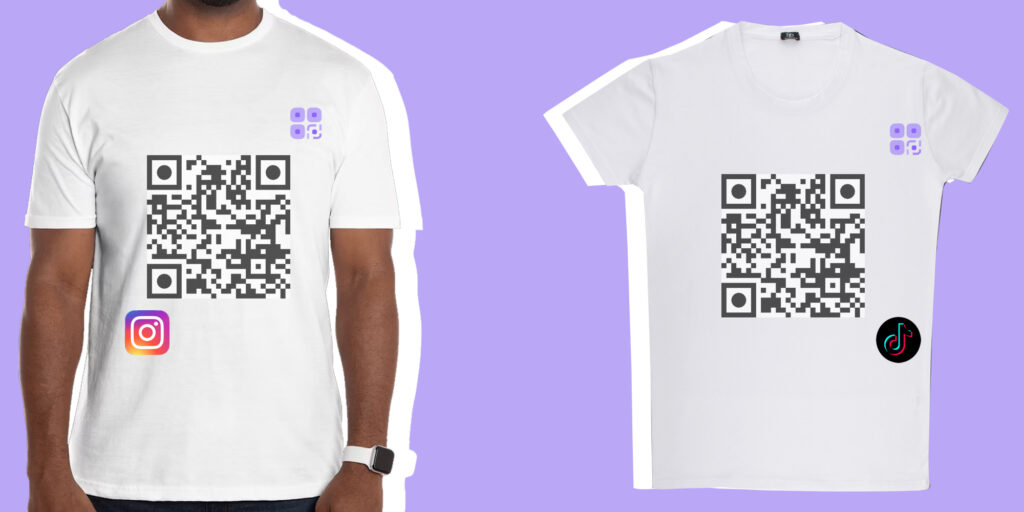
Custom T-shirts are one of the most prominent ways to express personal identity or branding these days. QR codes are a modern tool that allows you to add a unique touch to your T-shirts. With QR codes, you can link your content in an innovative way, whether it’s a link to a website, a video, or social media accounts. In this article, we’ll walk you through the steps for designing your own custom T-shirt that includes a QR code in more detail.

Step 1: Design your QR code

  1. Choose the code content

To begin, you need to decide what content you want to link to with the QR code. This content could be:

A link to a website: such as a personal blog or business website.

A video on platforms like YouTube: where your audience can easily view it.

Contact details: electronically, such as an email or phone number.

A social media profile: making it easier for others to follow you.

  1. Use a website to generate the code

After you’ve selected your content, you can go to a website to generate QR codes. qrmts.com is an excellent option for doing this. Here are the steps to use it:

Visit the website: Open your browser and go to qrmts.com.

Enter your information: In the space provided, enter the link or text you want the code to include.

Customize the design: If you have a specific vision for the code design, you can change the colors, frame, or add some decorative elements, depending on what the website allows.

Download the code: Once finished, download the code in high quality and save it to your device.

Step 2: Print the code on a T-shirt

  1. Choose a T-shirt

Choosing the right T-shirt is an important step. You can choose T-shirts in a variety of colors and designs, depending on your taste. It’s best to choose a comfortable cotton material, especially if you’ll be wearing it for extended periods.

  1. Printing Methods

There are several ways to print a QR code on a T-shirt:

Online Services: There are several websites that offer on-clothing printing services. Find a site that allows you to upload your design, such as Vistaprint or Printful. Choose a T-shirt, upload the QR code, and then add technical details like size and placement on the T-shirt.

Personalized Printing: If you own a fabric printer, you can use special paper for garment printing. Follow the printer manufacturer’s instructions to ensure the best results.

Visit a Local Print Shop: You can head to a local print shop. Be sure to show the technician the QR code and request that the print be customized to your liking.

Step 3: Wear and Share Your T-Shirt

After you’ve designed and printed your T-shirt, it’s time for the final touches:

  1. Wear Your T-Shirt

Wear your new T-shirt proudly! You can use it for special occasions, everyday activities, or even as part of your regular outfit. A T-shirt is a personal statement, so don’t be afraid to show it off.

  1. Share the Experience

Be sure to invite your friends and the public to scan the QR code on your T-shirt. You can share the T-shirt on social media and add comments about the content the code is associated with.

  1. Make it a social activity

You can organize an activity, such as a get-together with friends or people with similar hobbies, where everyone wears personalized T-shirts with QR codes. This creates a sense of engagement and makes the content you associate with the code more popular.

Conclusion

Customizing your own T-shirt with a QR code is an innovative idea that combines fashion and technology. With the steps outlined above, you can create a unique design that expresses yourself or your message in a modern way. If you have any content you’d like to share, feel free to use this method to make your T-shirt stand out and stand out. We hope you have a great experience designing your own T-shirt!

Make QR Codes in Magazines and Print Media Interactive

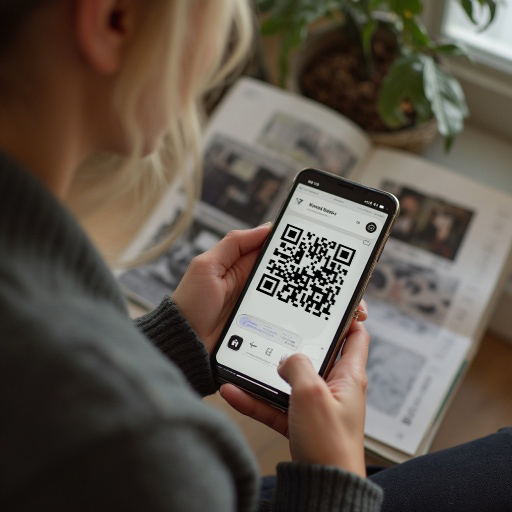
In a world filled with technology, QR codes have become a popular tool for transforming traditional content into an interactive experience, especially in the publishing and magazine industries. The integration of QR codes into magazines represents a paradigm shift that bridges the gap between print and digital media, allowing readers to interact with content in ways that were not possible before.

What do QR codes mean?

QR codes are two-dimensional barcodes that can be read by smartphone cameras. These codes store information such as links, text, or even video images, making it easier for users to access digital content

by scanning the code with their phones

QR codes can also be used for business cards, events, and menus, making the experience easy and fun

Benefits of using QR codes in magazines
Provide additional information: Magazines can include QR codes to connect readers to additional content such as videos, supplementary articles, or even interactive surveys. This enhances the reading experience and deepens understanding.

Improve audience engagement: QR codes help in instant engagement, as readers can subscribe to newsletters or participate in competitions, which increases brand loyalty.

Facilitate access to digital content: By using QR codes, readers can go directly to websites or mobile applications without the need for manual searching, which saves them time and increases the chances of engagement.

Analysis and monitoring: QR codes allow publishers to track the number of scans and interaction time, which provides valuable data on reader behavior and enables them to analyze the success of their content.

How can QR codes be effectively integrated into magazines?

Attractive design: The design of the code should be noticeable and attractively integrated with the page content. It can be placed next to articles or images to increase engagement.

Clarify the function: It is important to explain to readers what the benefit of scanning the code is, whether it is additional content or a special offer. The motivation should be clear.

User experience: Ensure that the landing page (linked content) is easy to use and mobile-friendly to ensure a smooth user experience.

Continuous updating: Links and content associated with QR codes must be kept up to date to ensure that readers have access to new and relevant information.

Conclusion
QR codes are not just a technological tool, they are an effective way to transform print magazines into rich interactive experiences. By integrating QR codes into magazine content, publishers can improve reader engagement and creativity in presenting information, which contributes to attracting their attention and loyalty. In the age of speed and information technology, the use of QR codes represents an important step towards the future of magazines and interactive print media.

Update your tables with barcode font in Excel

Barcode technology is a very effective tool for organizing and managing data, especially in business and administrative applications. Barcodes provide a quick way to identify products and reduce data entry errors, making it easier to update your Excel tables. In this article, we will discuss how to update your Excel tables using barcodes.

  1. Set up your work environment
    Before you begin, you need to make sure you have everything you need:

Excel is installed on your computer.

A barcode scanner, or an app that allows you to read the codes using your smartphone.

  1. Create a spreadsheet
    You can start working on a new table or use an existing one. Here are the steps to create a simple table:

Open Excel and create a new workbook.

Enter the basic data you need, such as:

Product ID.

Name.

Price.

Quantity.

Make sure your tables are organized so that they are easy to read and analyze.

  1. Add barcodes
    To add barcodes to your data, you need to:

Create the appropriate barcodes for each product. You can use online barcode generators or specialized programs.

Once you have created the codes, add them to your spreadsheet. You can copy and paste the codes or enter them into the appropriate cells.

  1. Update data using a scanner
    When you have your spreadsheet ready with barcodes, you can now use the scanner to quickly update the information:

Use the scanner to read a specific barcode. The scanner will convert the code into text that reflects the specified data.

Make sure that the scanner is connected to your computer and that it is supported by Excel.

  1. Update tables in Excel
    When a barcode is read by the scanner, you can update the spreadsheet in an easy way:

After reading the code, the scanner can enter the data directly into the active cell in the Excel spreadsheet.

You can select the cell in which you want to enter the data and update the information such as price or quantity.

Use the copy and paste feature to quickly update the data in large tables.

  1. Analyze the processed data
    After updating the tables, you can start analyzing the data. Excel provides many tools for analyzing data such as:

Create charts to analyze sales and trends.

Use functions to calculate totals or compare data.

Explore data using filters to display only the information you need.

  1. Save and share data
    After you finish updating and analyzing data, make sure to save the file periodically. You can also share the file with colleagues or stakeholders using the sending options in Excel.

Conclusion
Updating tables using barcodes in Excel is an effective way to manage data and improve work efficiency. By combining this technology with Excel’s capabilities, you can benefit from speed and accuracy in performing tasks. By adopting simple steps from creating organized tables to using a scanner, you can achieve impressive results that make it easier for you to manage your daily business.

19 Proven Tips for Small Business Growth

When you start your own business, it is important to follow effective strategies for growth and success. In today’s competitive business world, you need to focus on developing innovative plans and applying effective management skills. Here are 19 proven tips to help you grow your small business:

  1. Define Vision and Goals
    Start by defining a clear vision for your business and specific goals. These goals should be measurable and direct your efforts towards achieving the desired outcome.
  2. Understand the Market
    Conduct comprehensive research on the market you operate in. Understand the needs of customers and what competitors offer, and look for gaps that you can exploit.
  3. Provide Excellent Customer Service
    Your customers are the foundation of your success. Make sure you provide excellent customer service that exceeds their expectations, as this can be a powerful source of referrals.
  4. Use Social Media
    Make use of social media to connect with your audience. Create engaging content and engage with your followers to build a community around your brand.
  5. Develop a Network
    Look for opportunities to network with people in your industry. Participating in events, exhibitions, and business groups can open new doors for you.
  6. Search Engine Optimization (SEO)
    Optimize your website for search engines. Use SEO strategies to ensure your site appears on the first pages when people search for your products or services.
  7. Embrace Innovation
    Always be open to new ideas and technologies that can improve the way you operate or the service you provide. Innovation can be the key to success.
  8. Manage Money Wisely
    Monitor your cash flow carefully. Use accounting software to budget and ensure you have enough cash to support growth.
  9. Content Marketing
    Create content that is valuable to your audience. Content marketing provides useful information and experiences that improve customer engagement and enhance your digital presence.
  10. Focus on Local Needs
    If you operate in a local area, make sure you understand the needs of the local community and create offerings that meet those needs.
  11. Develop a Marketing Plan
    Developing a marketing plan that includes all possible channels (digital, traditional, in-person) will help you expand your reach and achieve your goals.
  12. Listen to Customers
    Make it your business policy to listen to customer feedback and respond to it. This will help you improve your products and services.
  13. Build a Professional Website
    If you don’t have a website, consider creating one now. It should help provide information about your business, testimonials, and ease of communication with you.
  14. Provide Multiple Payment Options
    Make the purchasing process easy for customers by providing a variety of payment options, including cash, credit cards, and digital payments.
  15. Analyze Performance
    Use Key Performance Indicators (KPIs) to track your success. You should continually measure factors such as customer satisfaction, profit, and sales growth.
  16. Collaborations and Partnerships
    Look for opportunities to collaborate with other companies. Partnerships can create new opportunities and expand your customer base.
  17. Monitor Competitors

Monitor competitors in your industry and leverage market analytics to understand what works and what doesn’t. Use that information to improve your strategies.

  1. Keep Learning

Invest in developing your skills and your team. Make sure to attend workshops and training courses that enhance your business knowledge.

  1. Patience and Persistence
    Remember that growth takes time. Be patient and continue to strive towards your goals, focusing on quality and service.

Conclusion
Growing a small business requires a clear vision, effective strategies, and dedication. By implementing these tips, you can increase your chances of success and expand your business. Remember that the road to success may be long, but hard work and dedication will eventually pay off.